Watch the video below OR scroll down to view the steps listed out instead.
TABLE OF CONTENTS
Video Tutorial:
Step By Step Guide:
Changing Your Password in Platform
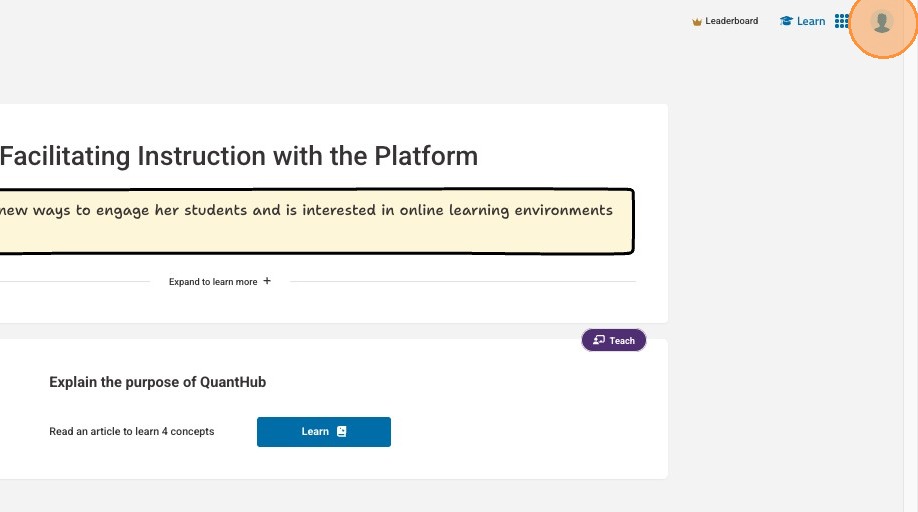
1. To change your password in platform, select your user icon in the upper-right corner.
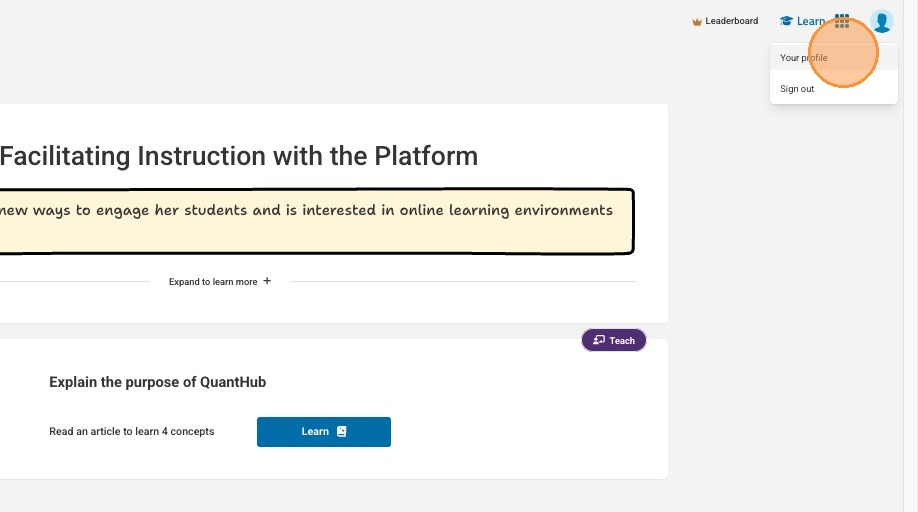
2. Select "Your profile"
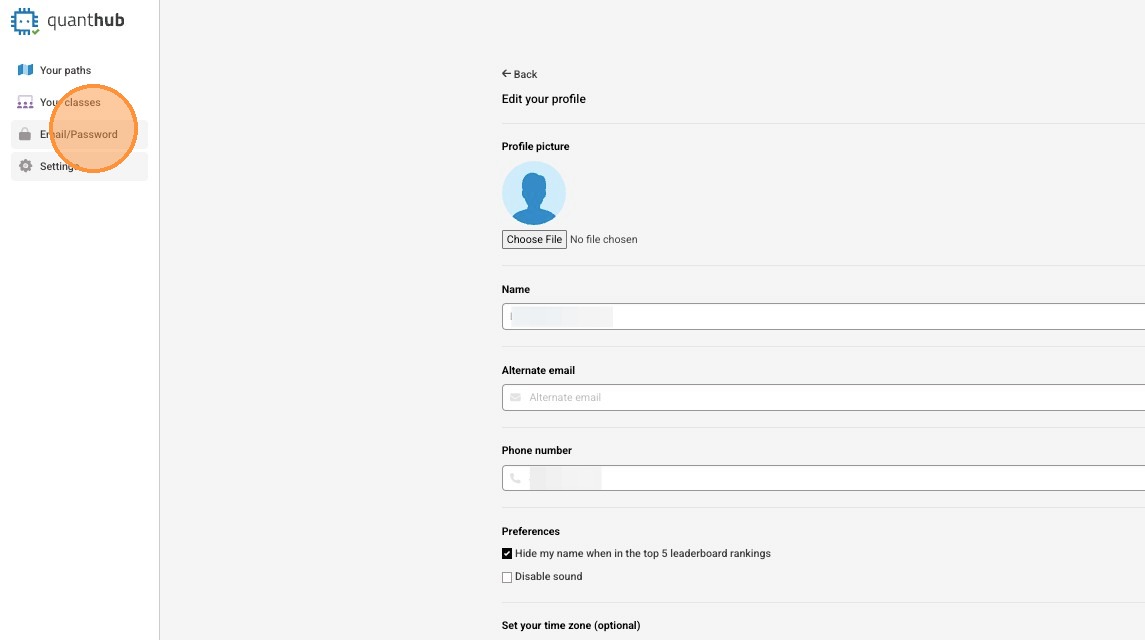
3. Select "Email/Password"
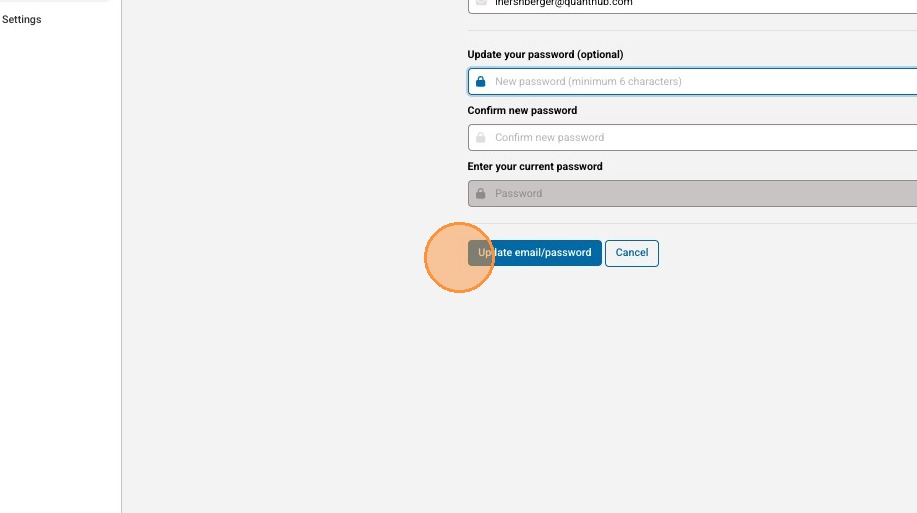
4. Select the "Update your password" field and enter your desired password.
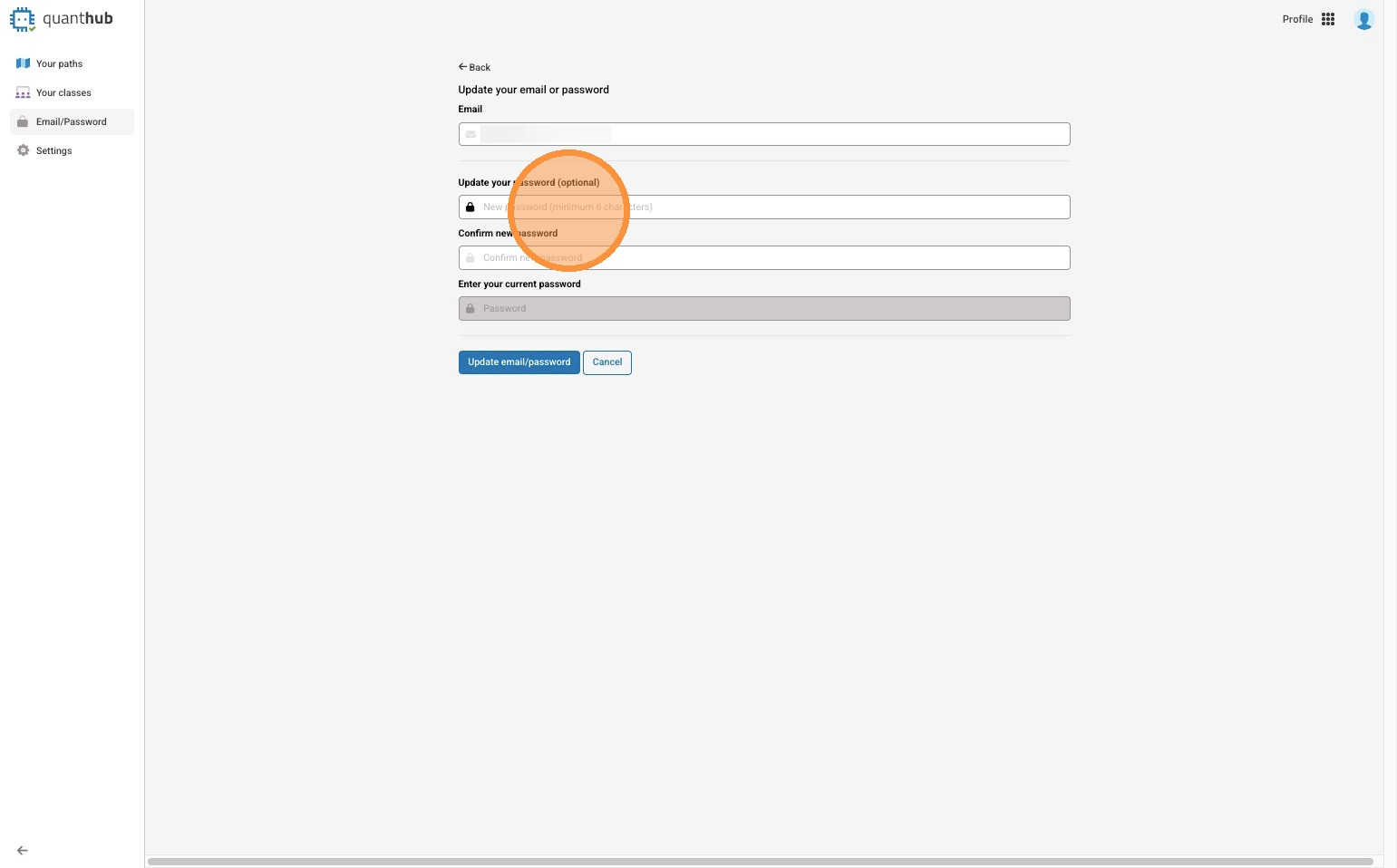
5. Once you have entered your new password and confirmed it, along with entering your current password, select "Update email/password".
Resetting Your Password from the Sign In Page
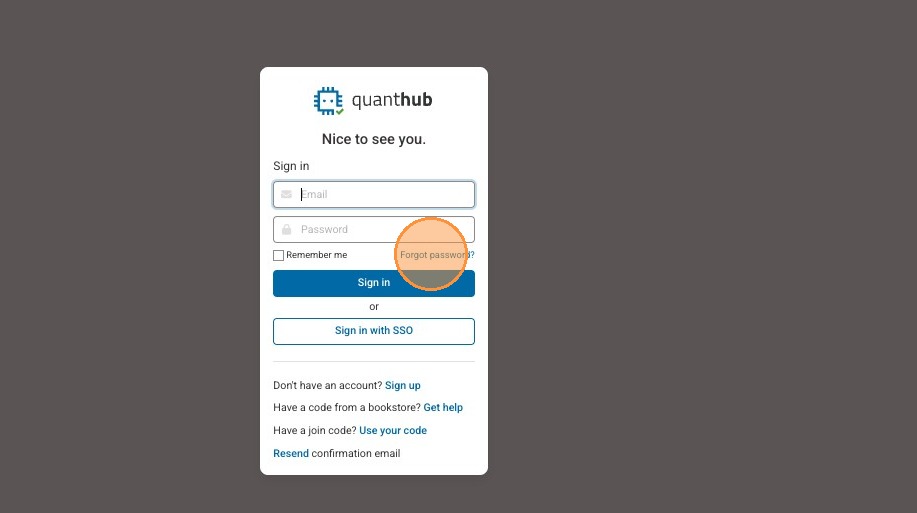
6. If you need help resetting your password from the sign in page, select "Forgot password?"
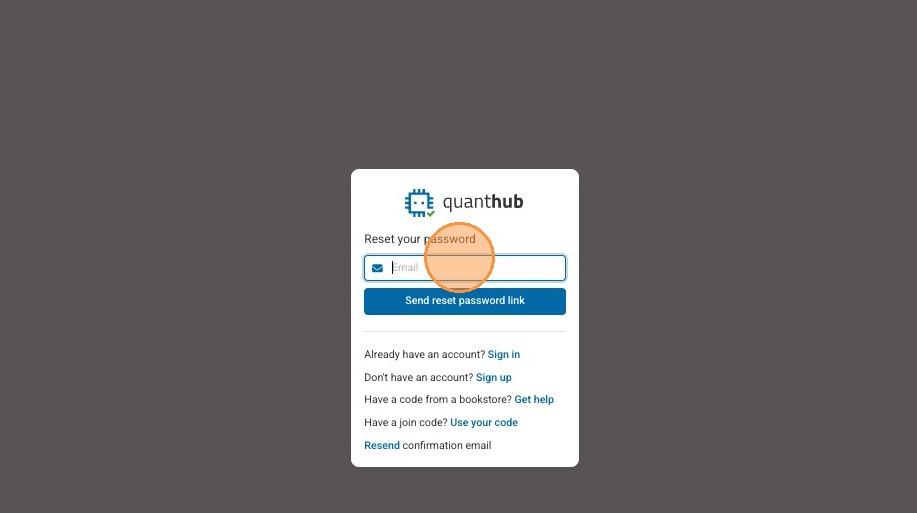
7. Type your Email in the field.
8. Select "Send reset password link"
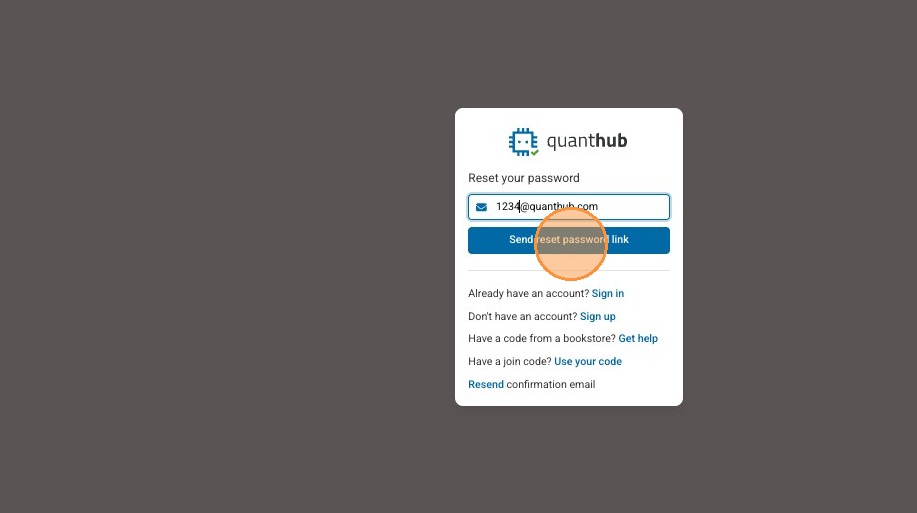
9. You should receive an email to reset your password and take you back to the sign in page.
Tip: If you did not receive your reset password email, please check spam/junk folder first. If you still have not received the email, submit a ticket at support.quanthub.com
Was this article helpful?
That’s Great!
Thank you for your feedback
Sorry! We couldn't be helpful
Thank you for your feedback
Feedback sent
We appreciate your effort and will try to fix the article