Watch the video below OR scroll down to view the steps listed out instead.
TABLE OF CONTENTS
Video Tutorial:
Step By Step Guide:
Redeem your bookstore code
1. Upon entering your assigned content you will see a pop up for payment.
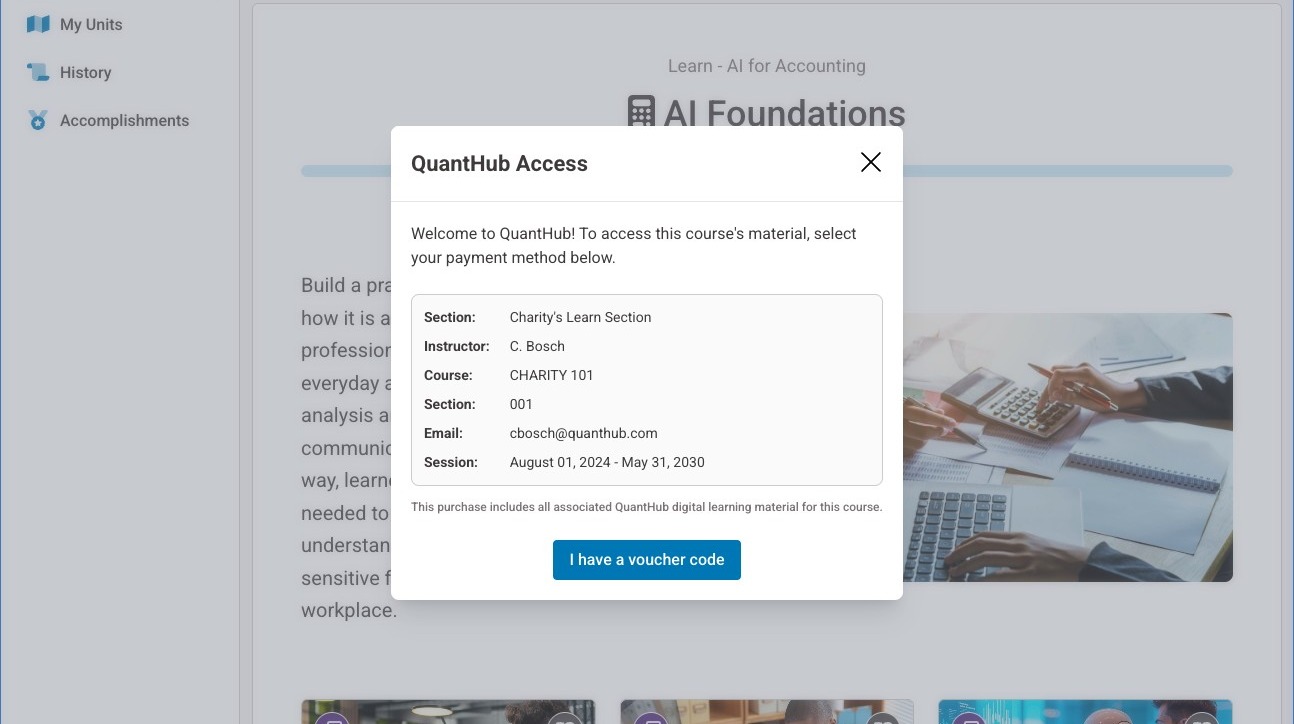
2. Select "I have a voucher code"
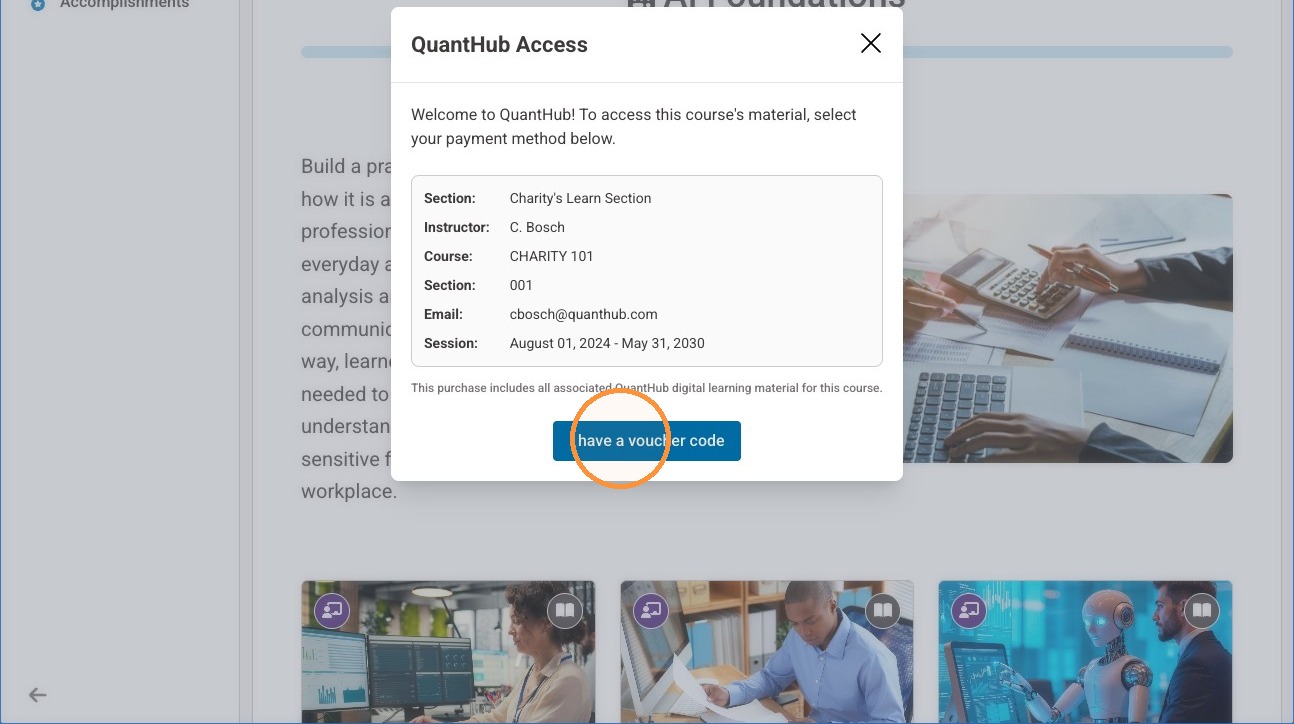
3. Enter the code you purchased from the bookstore and select "Apply"
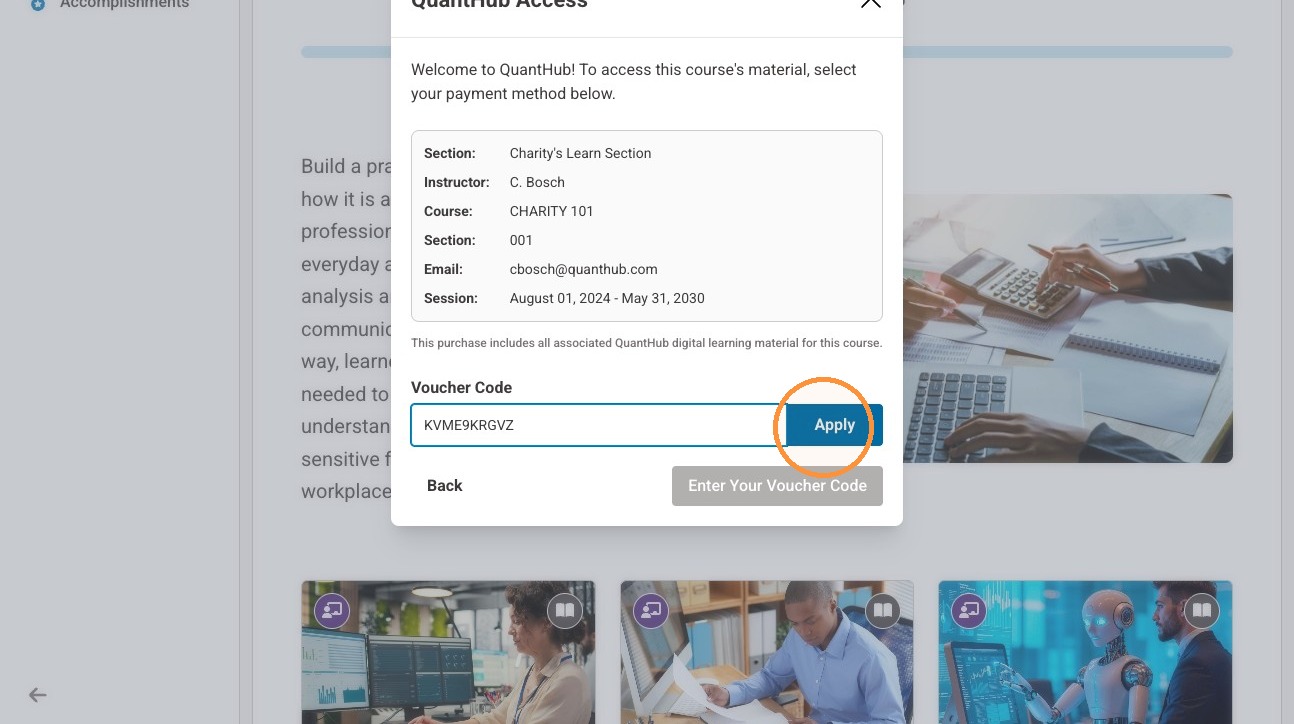
4. You should see a message stating the code was successful.
Note: If you do NOT see this message, please submit a ticket at support.quanthub.com and provide the code you purchased through the bookstore so we can assist you in redeeming.
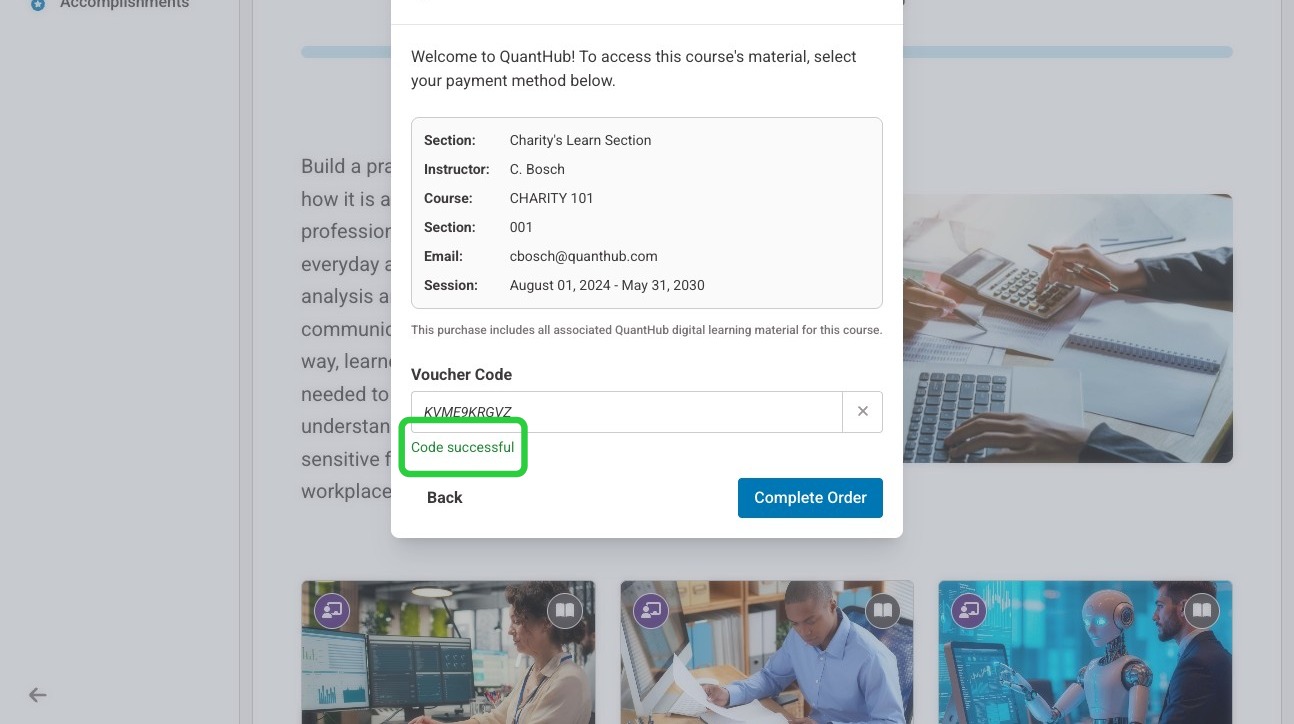
5. Select "Complete Order"
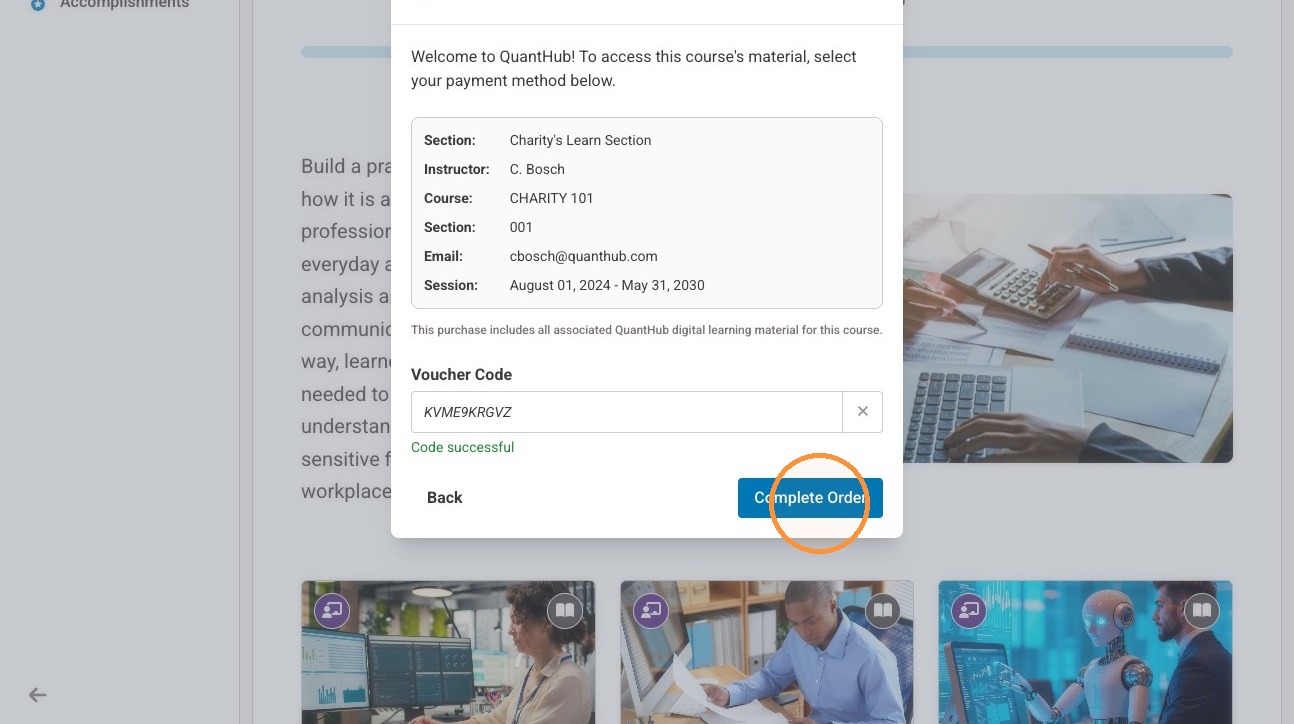
6. You may then begin your assigned content.

Was this article helpful?
That’s Great!
Thank you for your feedback
Sorry! We couldn't be helpful
Thank you for your feedback
Feedback sent
We appreciate your effort and will try to fix the article